The security clearance foreign travel reporting form your FSO team won't have to chase
TravelSEAD replaces scattered emails and spreadsheets with one place to report, review, and export foreign travel reporting form data — from submission to a DISS-ready compliance record.
Try a live demo
No signup required. Explore TravelSEAD as an employee or FSO with sample program data.
- SEAD 3 aligned
- DCSA reporting workflow
- Full audit trail
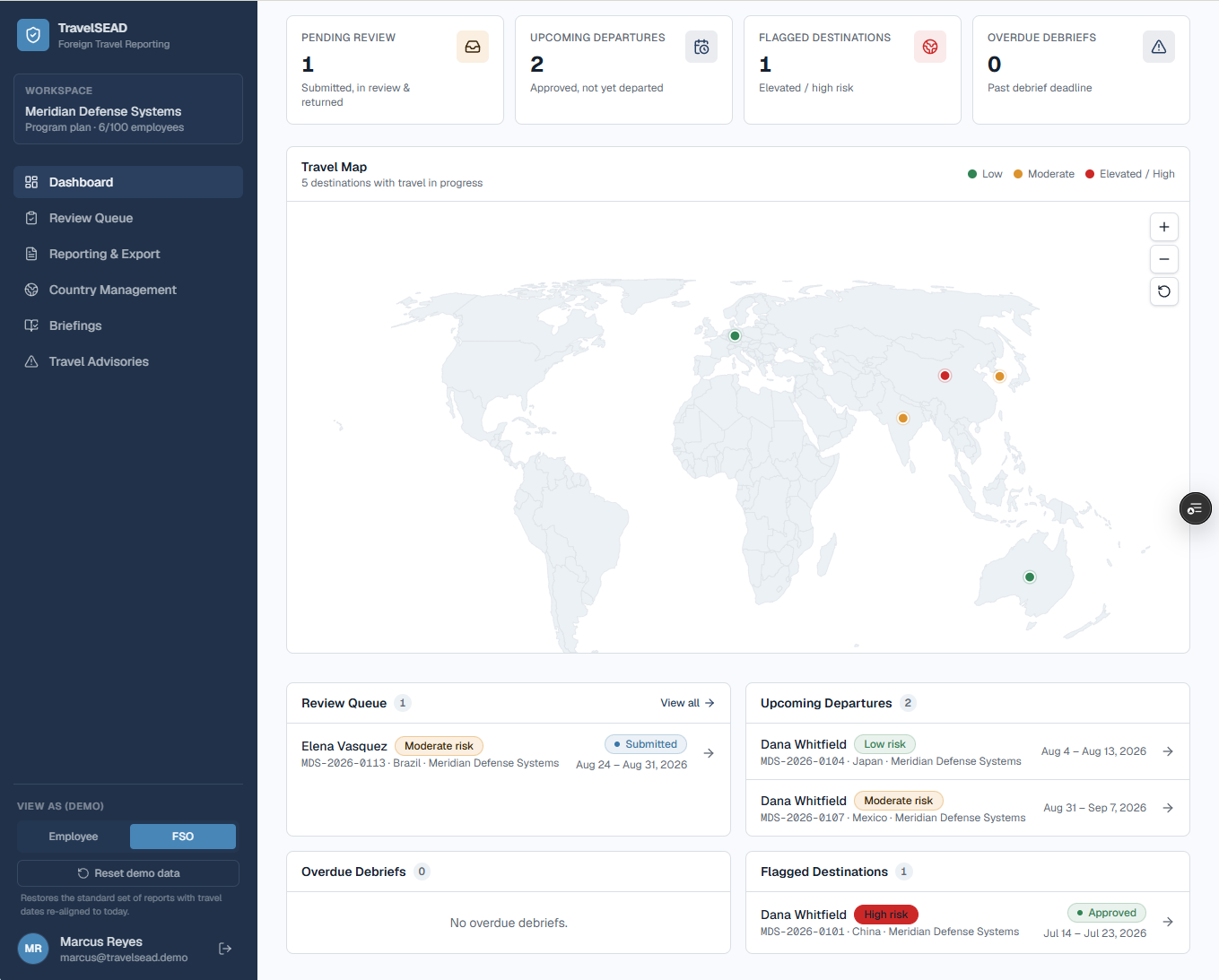
For Facility Security Officers
SEAD 3 guides for FSO teams
Use these pages with your SOP: reporting requirements, the checklist PDF, the Word intake template, and how unofficial forms relate to DISS.
SEAD 3 reporting requirements
Who reports unofficial foreign travel, what to submit, deadlines, and who enters the record in DISS.
Open resourceSEAD 3 foreign travel checklist
Pre-travel intake, debriefs, DISS handoff, and a one-page printable PDF for FSO teams.
Open resourceSEAD 3 reporting template
Editable Word intake template for unofficial foreign travel — not an official DCSA form.
Open resourceDoD foreign travel reporting form
How unofficial intake forms relate to DISS, what FSOs collect, and which downloads to use.
Open resourceBuilt for FSOs
Everything you need to run security review, in one system
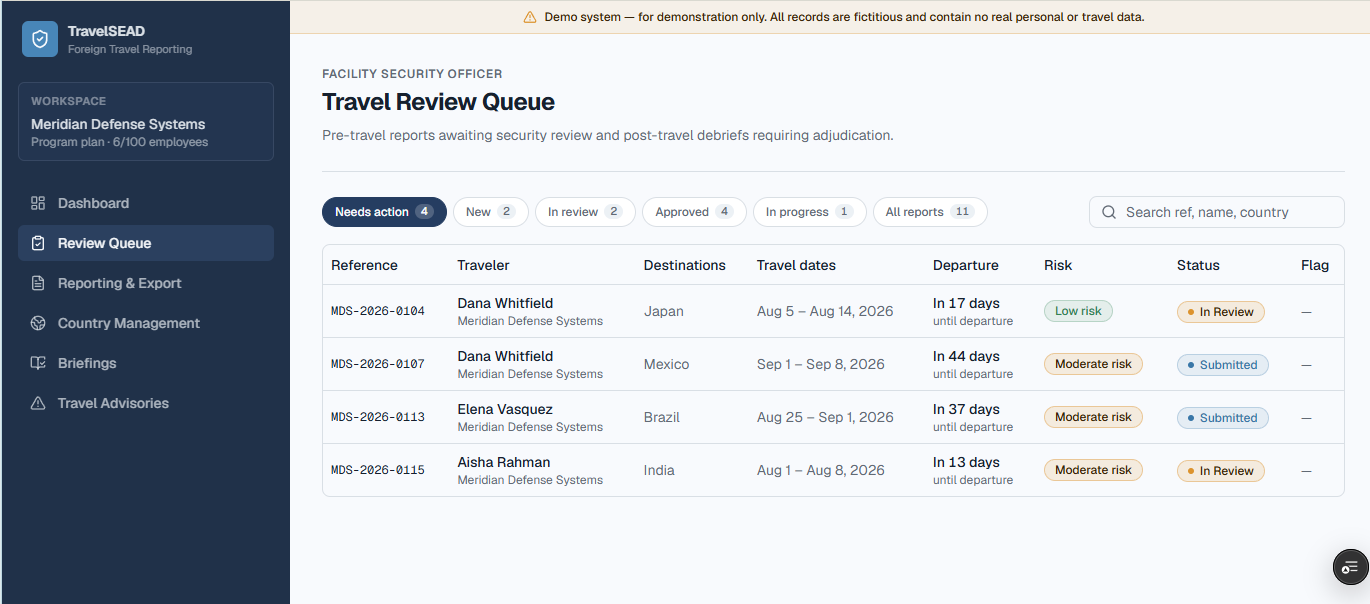
Review
Report foreign travel security clearance decisions from a single queue
Every submitted travel report lands in one review queue. Approve, return for more information, or escalate — with a complete, timestamped decision history attached to every clearance holder.
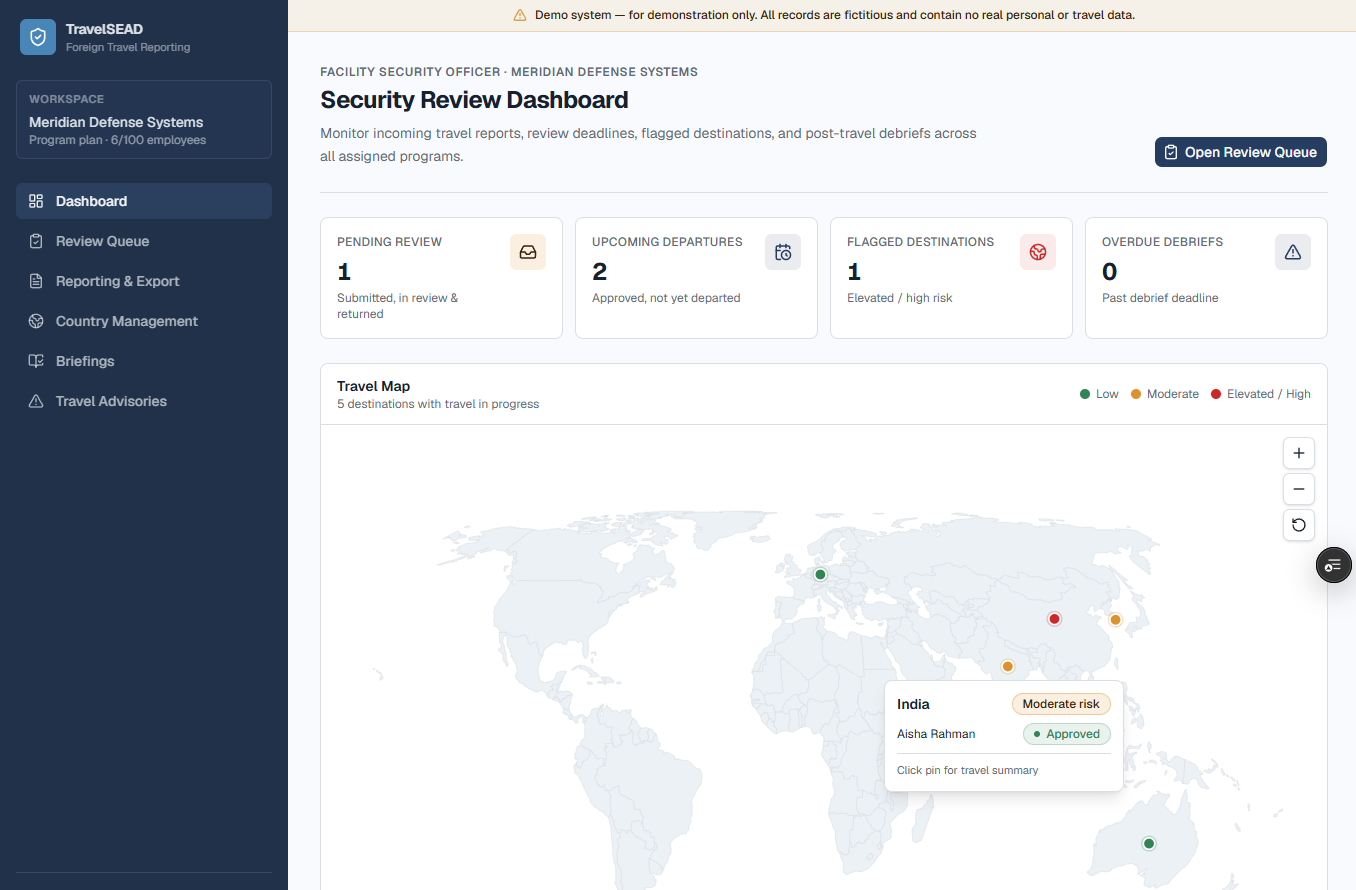
Visibility
See where every cleared employee is traveling, at a glance
The map dashboard plots upcoming and in-progress travel across your program, so your FSO team has org-wide visibility instead of digging through individual reports.
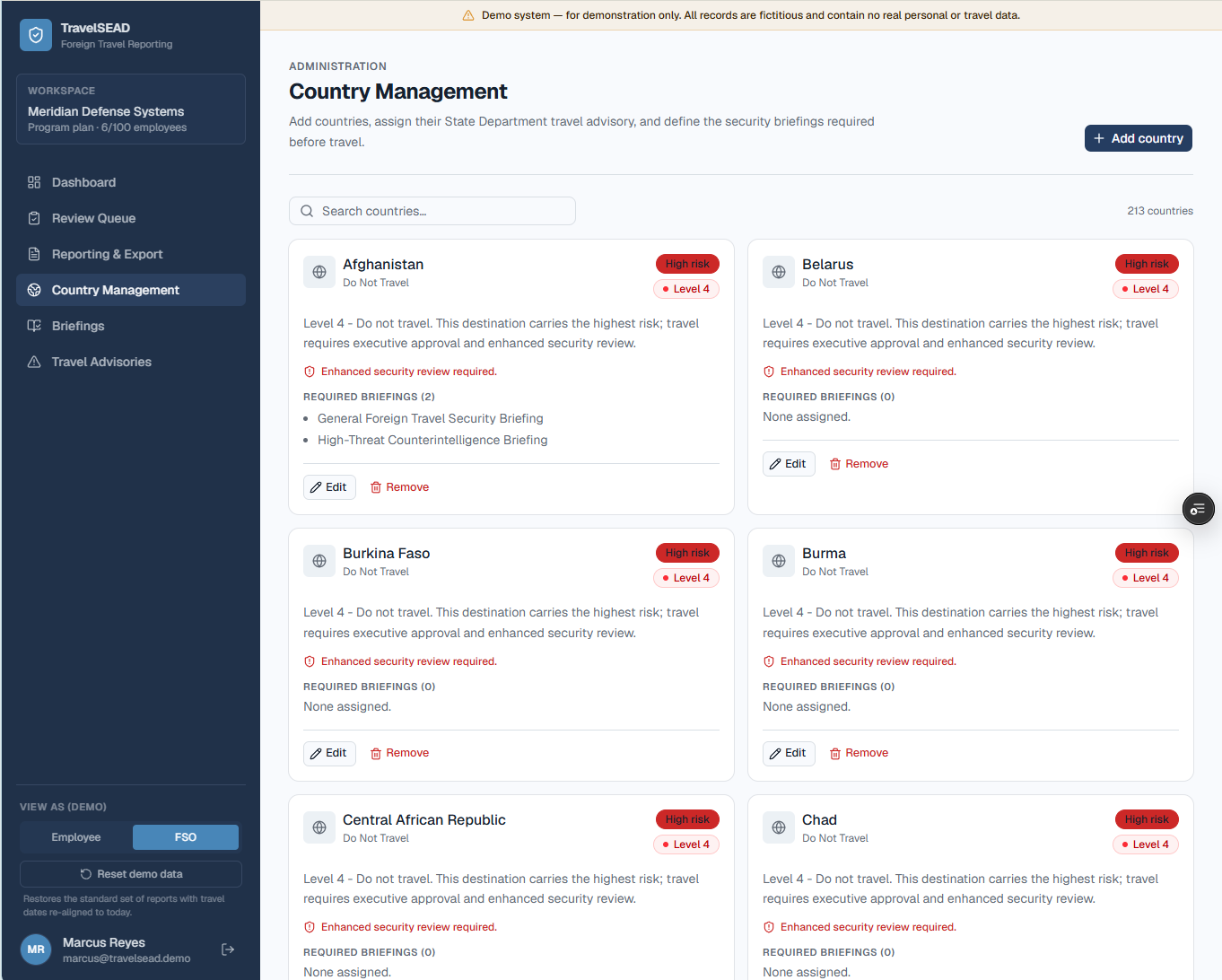
Risk data
Country risk and DOS travel advisories, built into every review
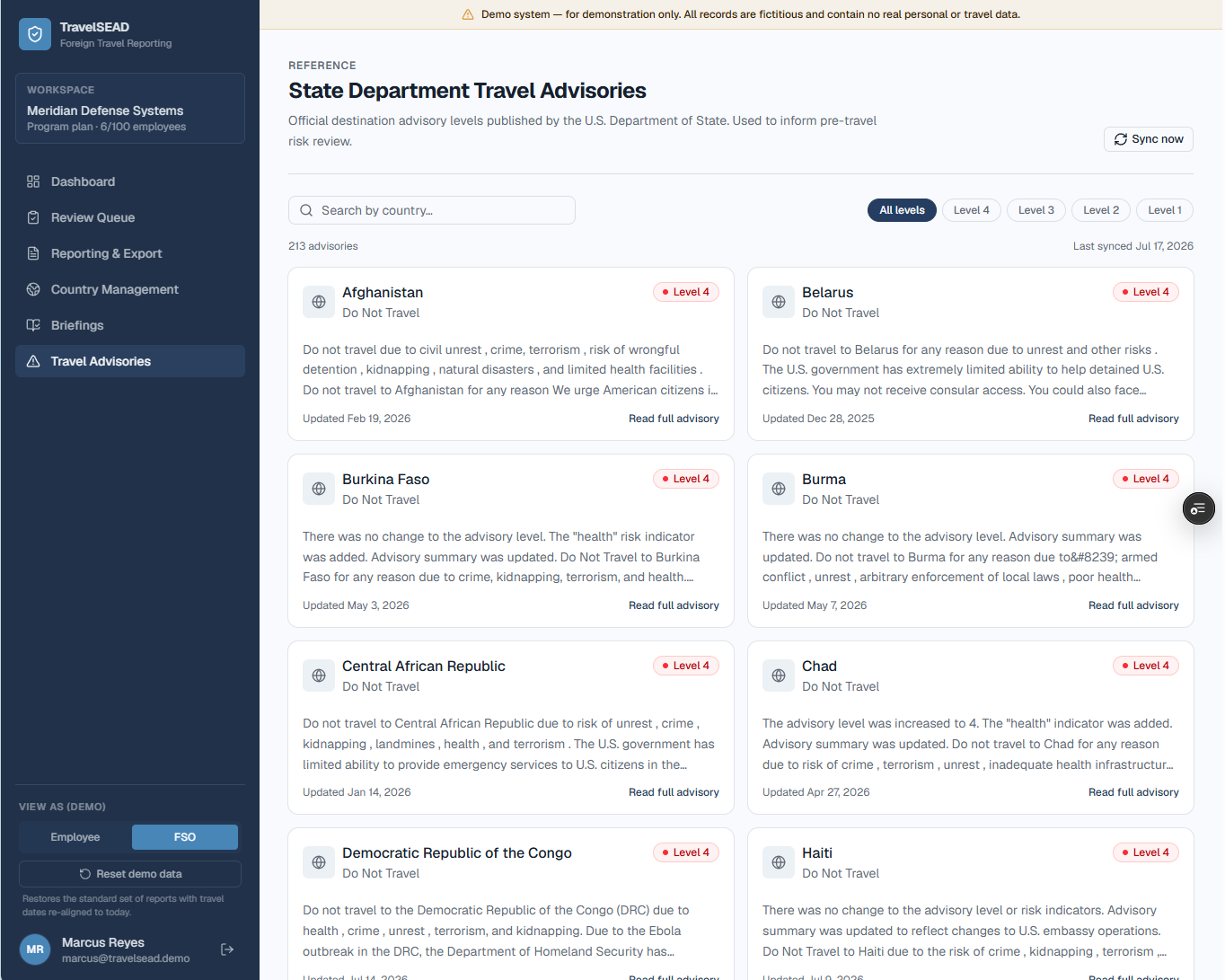
Country management pulls live U.S. State Department travel advisories so risk scoring is never based on a static list — reviewers see the current advisory the moment they open a report.
Advisory feed
DOS advisories flag elevated risk before departure
When a destination carries a Level 3 or 4 State Department advisory, the system surfaces it directly in the review, prompting the acknowledgments and scrutiny that trip requires.
Debrief
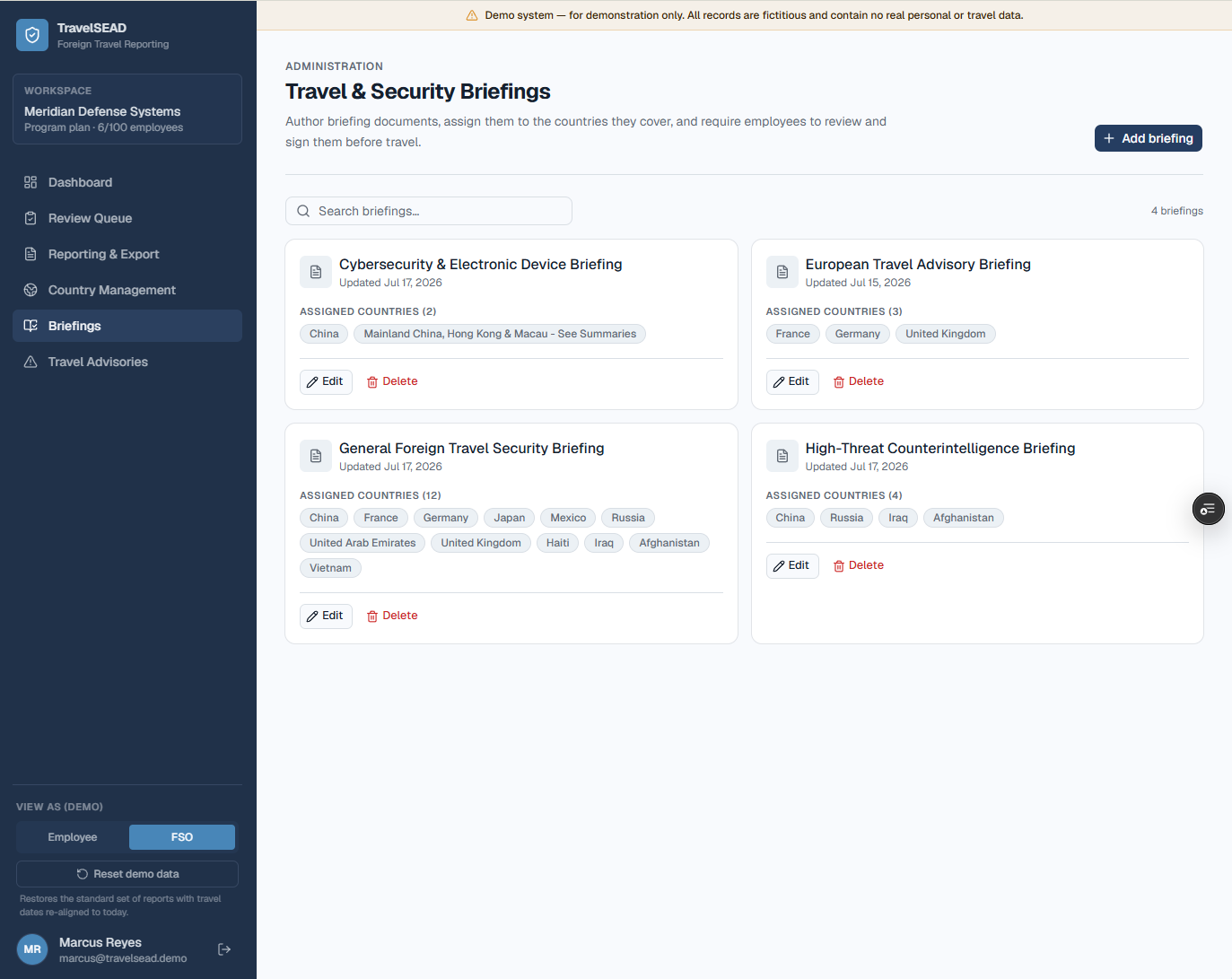
Pre-travel briefings and post-travel debriefs, tracked automatically
Required briefings and debriefs are scheduled and reminded automatically, so nothing depends on a traveler remembering to follow up after they land.
Export
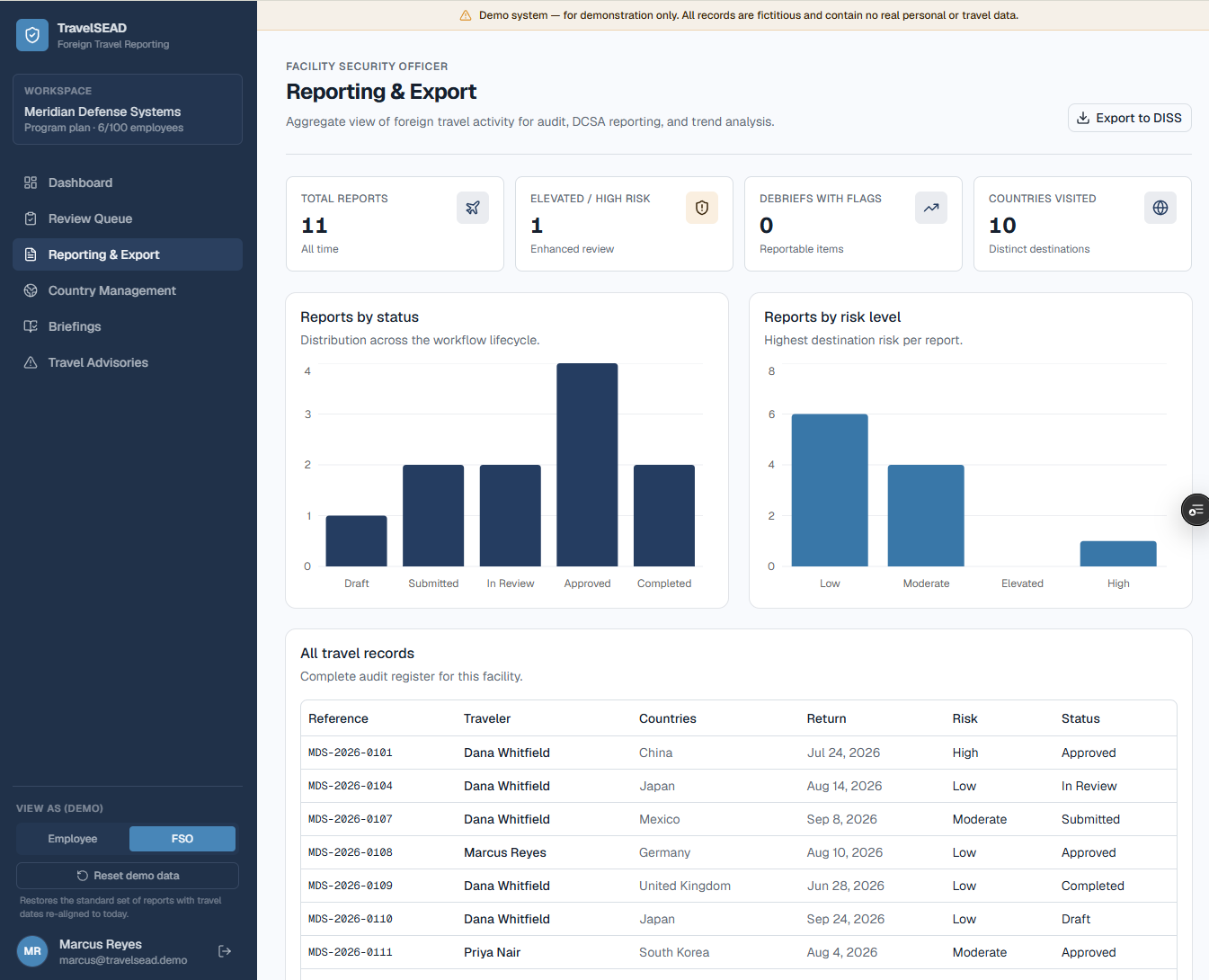
Generate a DISS-ready compliance export in one click
When it is time to report to DISS or your program office, export a clean, audit-ready record of every reviewed trip — no more assembling files by hand.
The FSO workflow
From submission to export, without leaving the queue
- 01
Employee files the report
A guided wizard replaces the paper DoD foreign travel reporting form with a structured submission — itinerary, destinations, and purpose, captured once.
- 02
You review with risk data in hand
Every destination arrives pre-scored against current State Department advisories, so you review with context instead of researching from scratch.
- 03
You decide, on the record
Approve, return, or escalate from the review queue — every decision is timestamped and attached to that traveler’s record automatically.
- 04
You export when it is time to report
Pull a DISS-ready export of reviewed trips for your program office, instead of assembling a compliance file by hand.
FAQ
Questions FSOs ask us
Pricing
One complete platform. Pricing that scales with your workforce.
Every plan includes the full reporting, review, and debrief workflow — no feature gating and no per-report fees. Just pick the tier that fits your number of active employees.
Everything included, on every plan
No add-ons or upgrade prompts. The full toolset ships with your 14-day free trial.
- Guided pre-travel reporting
- FSO security review queue
- Live country advisory scoring
- Post-travel debrief workflow
- Role-based access controls
- Risk-based acknowledgments
- DISS Mass Foreign Travel export
- Unlimited FSO reviewers
- Email support
Team
1–50 employees
Program
Popular51–100 employees
Enterprise
101+ employees
Active employees are personnel with reporting obligations in the system. Annual billing and multi-year agreements are available — reach out for a tailored quote.
Give your FSO team a system, not a shared drive
Start a free trial and see your first review queue populated in minutes, or talk to us about your program's requirements.
Try a live demo
No signup required. Explore TravelSEAD as an employee or FSO with sample program data.